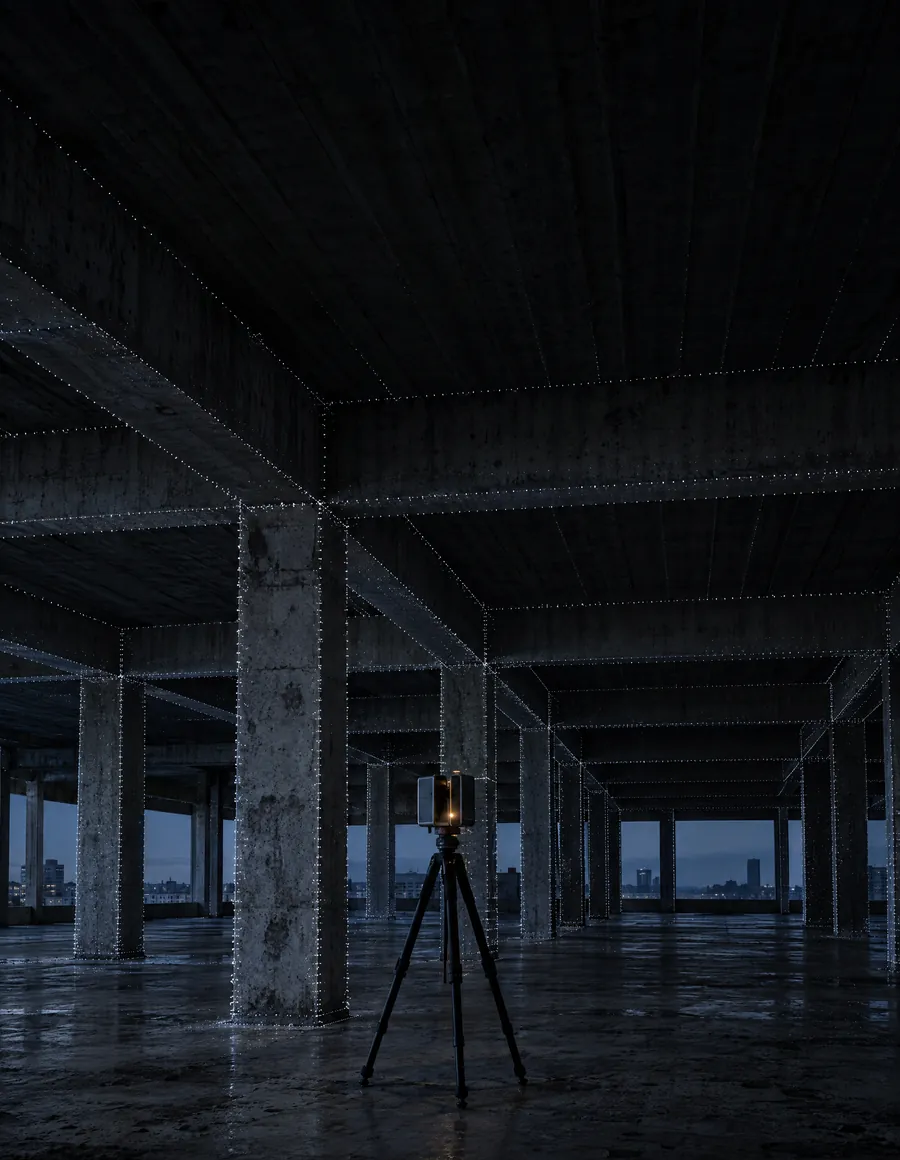
Structural As-Built BIM model from technical documentation and point clouds (Scan to BIM)
The digital representation of a structure as it was actually built on site: an asset for operation, maintenance and future interventions.
Request a structural As-Built consultationWhat is a structural As-Built BIM model?
The structure as it was built
Unlike the design model, the As-Built model incorporates the final conditions of the project and the changes made during construction, so that the digital information matches the physical reality of the building. More than a record of the works, it is a digital asset for the technical management of the project throughout its life cycle. When a 3D laser scan point cloud exists, the model is developed directly on it.
Scan to BIM · KAMON case
One plant, two readings
On the left, the As-Built BIM model; on the right, the point cloud it was built from, colored by height. Drag the line to compare element by element: slabs, columns, roofs and tanks.
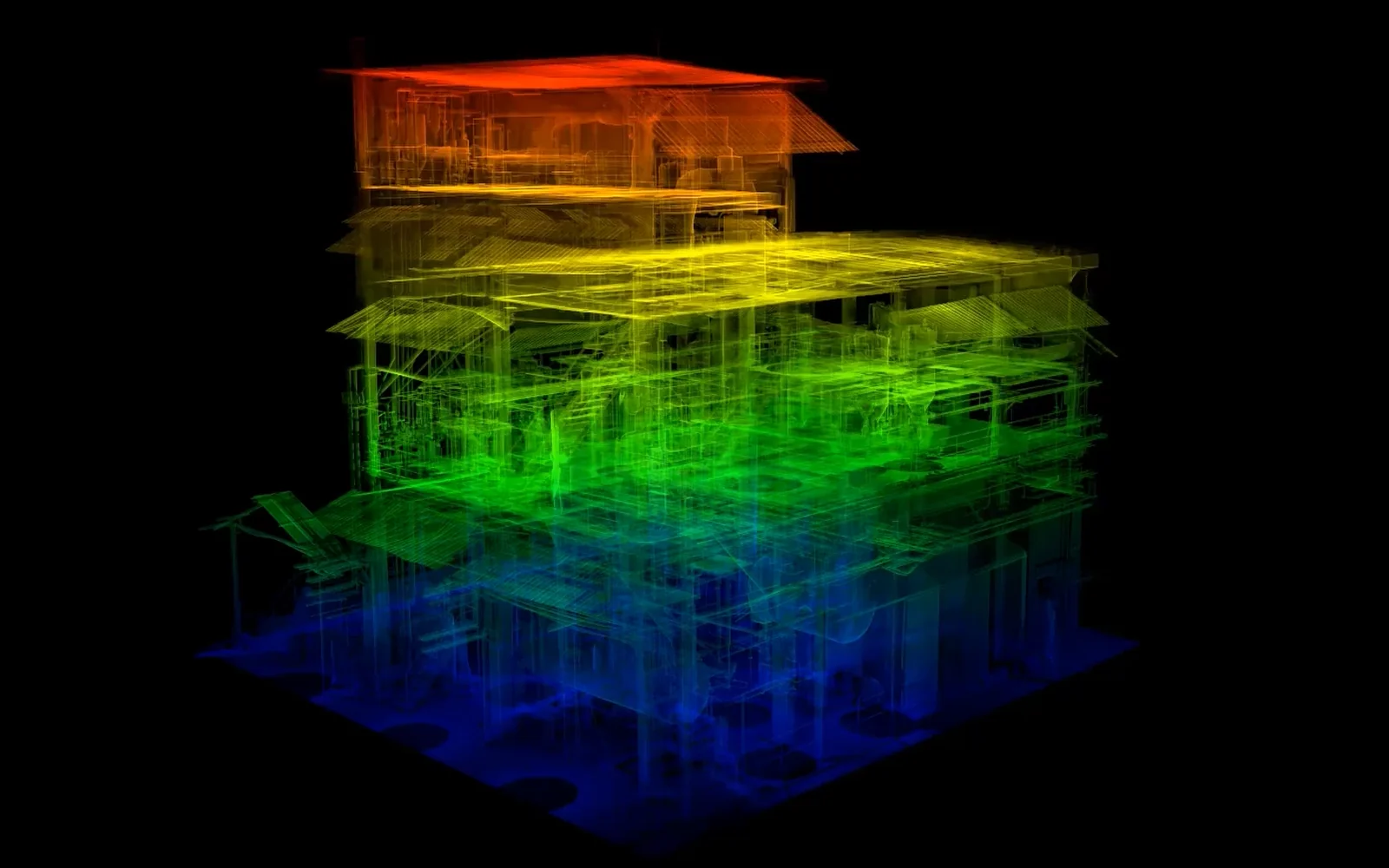
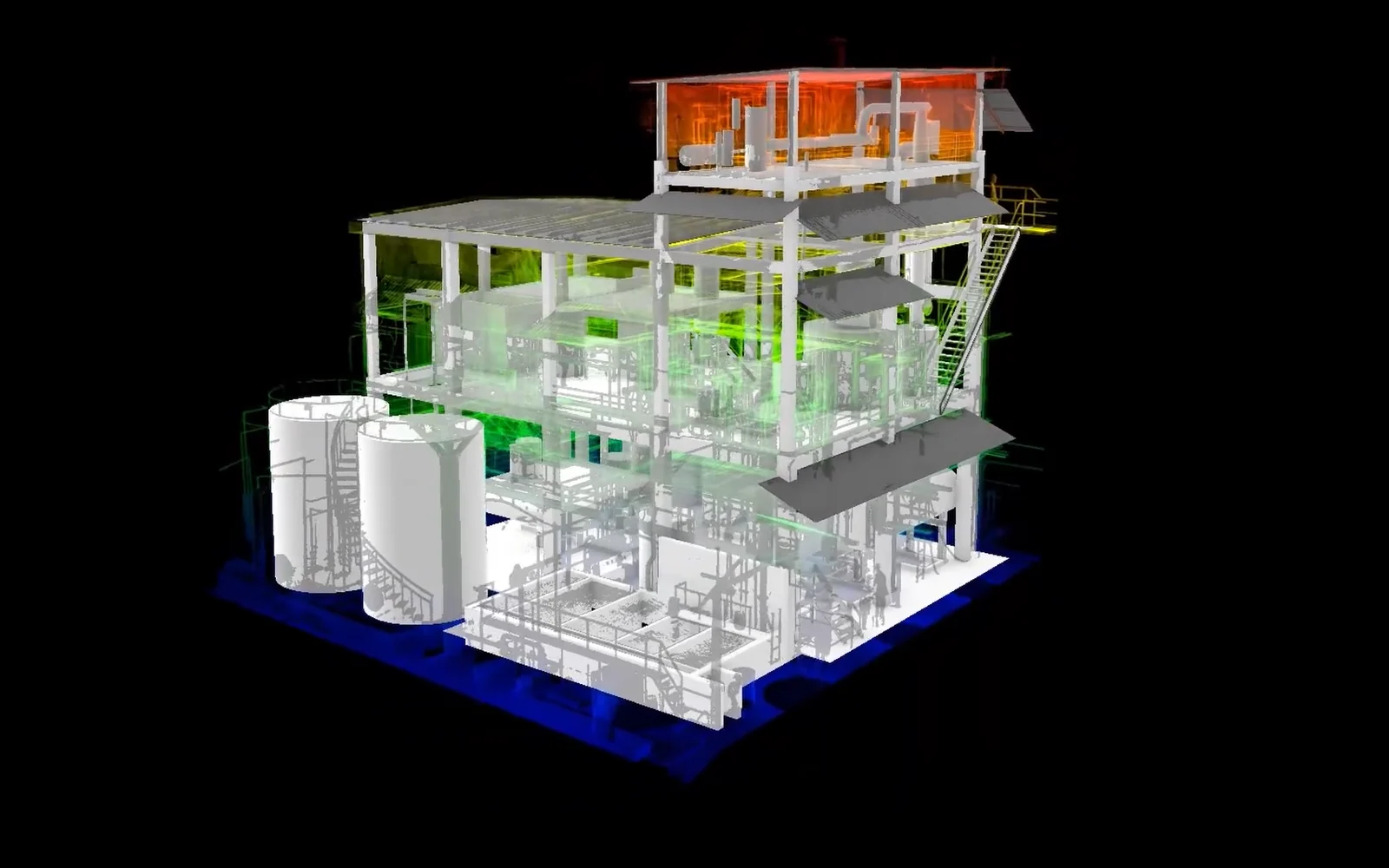
Petrochemical plant · Scan to BIM. Modeled by KAMON & CO. over the point cloud. View the project
Scope
Scope of service
- 01
Construction information
- Review of construction records
- Analysis of changes made on site
- Incorporation of changes made during construction
- 02
As-Built model
- Update of the existing BIM model
- Modeling of built elements
- Adjustment of geometry and element location
- Model parameters and organization
- 03
Scan to BIM
- Point cloud import and management
- Linking of RCP/RCS files
- Structural modeling on the point cloud
- Geometric verification against the cloud
- 04
Deliverables
- As-Built BIM model in RVT
- IFC model
- NWC file for coordination (when applicable)
- Views for review and coordination
- Model prepared for asset management
6
Point cloud formats we integrate into Revit: RCP/RCS, E57, LAS, LAZ, PTS and XYZ.
Samples
Captured versus modeled
Views of a Scan to BIM project developed by the KAMON & CO. team. Tap any sheet to see it in detail.
-
Point cloud
The existing building captured by 3D laser scanning, in axonometric view.
-
As-Built model
The same view modeled in BIM: beams, columns, walls and services in their built position.
-
Interior walkthrough
Columns and beams of the As-Built model seen from inside the level.
Level of development
What was built, at four levels
The level of development is set by the requirements of the project. Tap a level to see it.
-
A basic representation for general reference.
-
A model with approximate information on the structural elements.
-
An accurate model matching the built dimensions and locations.
-
A higher level of detail to represent interfaces and connections between elements.
Advantages
Why an As-Built with ?
What exists, not what was designed
The model includes the changes made on site: renovations and extensions start from the real structure.
Less risk of missing elements
On a point cloud, every column, beam and slab is checked against the captured geometry.
An asset for decades
Centralized structural information for maintenance, adaptations and life-cycle management.
Organized and parameterized
Delivered in RVT and IFC, with NWC when coordinating with other disciplines in Navisworks.
Traceable changes
Reviewing the construction records makes clear what changed from the design, and where.
Applications
Who is it for?
- 01Architects
- 02Contractors
- 03Public entities
- 04Engineering firms
- 05Structural engineers
- 06Asset managers
- 07Maintenance companies
- 08Building owners
- 09Real estate developers
Process
Our workflow
- Step 01Records or cloud
- Step 02Technical review
- Step 03BIM setup
- Step 04Cloud linking
- Step 05As-Built model
- Step 06Quality control
- Step 07Delivery
Frequently asked questions
What is an As-Built BIM model?
A BIM model that represents the actual condition of the structure once construction is complete, incorporating the changes made on site.
How does a design model differ from an As-Built model?
The design model represents the structure as planned; the As-Built model reflects how it was actually built.
What information is needed?
Final construction drawings, existing BIM models, 3D laser scan point clouds, change logs, technical documentation and any information that helps validate the built condition.
Do I need an existing BIM model?
Not necessarily. We can update an existing model or develop an As-Built model from the available documentation and the information the client provides.
Can you develop it from a point cloud?
Yes. When the client provides a point cloud from a 3D laser scan, we develop the structural As-Built model using it as the main reference.
Does KAMON & CO. perform the 3D laser scan?
Not today. The service covers the As-Built model from the point cloud the client provides. We are building alliances with specialized providers so that, when a project calls for it, capture and model can be coordinated from a single front.
Which point cloud formats do you accept?
Formats compatible with Autodesk Revit: ReCap (RCP / RCS), E57, LAS, LAZ, PTS and XYZ, or others agreed in advance.
What does the accuracy of the model depend on?
On the quality and reliability of the information provided. Where documentation is insufficient, site visits, surveys or additional validation may be required. The service does not include structural design, structural drawings or quantity takeoffs, which are contracted separately.
What is an As-Built model for?
It supports operation, maintenance, renovations, extensions and the technical management of the asset throughout its life cycle.
How is the service priced?
According to the size of the project, the complexity of the structure, the available information, the required level of development (LOD) and the requested scope. We reply to every inquiry in under 24 business hours.